Why iphone 12 Mini Battery Drains Fast | Proven Causes, Fixes, and Pro Tips for Longer Battery Life
Discover the real reasons behind fast iPhone 12 mini battery drain and learn proven fixes, charging habits, and tips to improve long-term health.

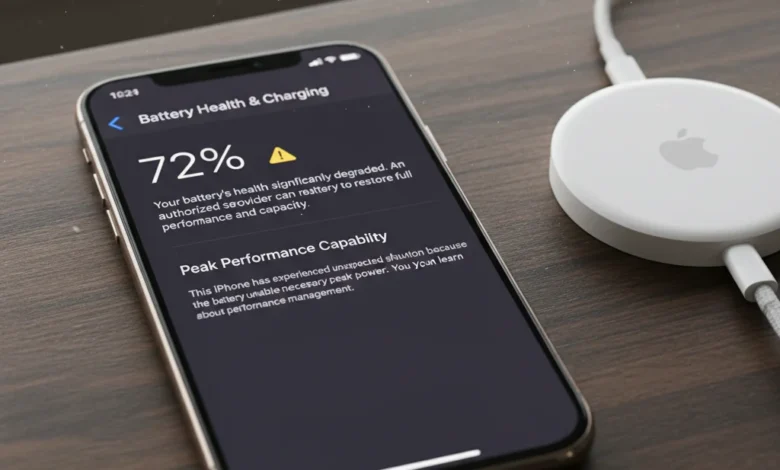
If you’ve been wondering “why is my iPhone 12 mini battery draining so fast.?”, you’re not alone. Many iPhone 12 mini users notice their battery life shrinking quicker than expected. The truth is, the iPhone 12 mini packs a smaller battery compared to other iPhones, and heavy iPhone usage, iOS background tasks, and even environmental conditions can speed up battery drain. But don’t worry, with the right fixes, you can restore efficiency and even extend your iPhone’s long-term battery health.
Common Reasons Why iPhone 12 mini Battery Drains Fast
Apple designed the iPhone 12 mini for portability, but this comes at the cost of a smaller battery. Understanding the main reasons behind fast drain is the first step toward fixing it.
1. Heavy iPhone Usage
Running multiple apps, gaming, or streaming for long hours puts a lot of load on the battery. High-performance tasks like 4K video recording also drain charge quickly.
2. Buggy iOS or App Updates
Sometimes, new iOS or third-party app updates come with bugs that cause abnormal battery usage. Always check for patches or reinstall apps that are misbehaving.
3. Background App Refresh & Notifications
Apps refreshing in the background and constant push notifications keep your iPhone active even when idle. This is one of the most common causes of overnight drain.
4. Screen Brightness & Auto-Brightness
Keeping your brightness high all day or disabling auto-brightness increases consumption. The OLED screen is one of the biggest power consumers.
5. GPS, Location Services & Low Signal
Constant GPS tracking and low signal areas force your phone to work harder, leading to rapid drain. Enabling Airplane Mode in weak-signal zones helps.
6. 5G Battery Drain
5G connectivity is powerful but energy-hungry. Smart Data Mode helps balance performance and battery, but in low-signal areas, it can still drain fast.
7. Extreme Temperatures
Using your iPhone 12 mini in very hot or cold conditions reduces efficiency. Heat accelerates lithium-ion degradation, while cold can cause sudden shutdowns.
8. Hardware-Related Issues
Sometimes, the problem isn’t software at all. A faulty iPhone 12 mini battery, charging port damage, or even Tristar/Hydra chip malfunctions and logic board faults can all cause fast drain. In such cases, professional repair is needed.
How to Fix iPhone 12 mini Fast Battery Drain
Now that we know the causes, let’s explore actionable fixes that can actually save your battery and extend its life.
1. Restart or Force Restart iPhone
Restarting clears temporary glitches. A force restart can solve deeper background issues that may be draining the battery.
2. Update iOS & Apps
Apple frequently releases updates that include battery optimizations. Always keep both your iPhone and apps up to date to avoid power-hungry bugs.
3. Enable Low Power Mode
Low Power Mode limits background activity, mail fetching, and visual effects. Keeping it on during long days can save hours of usage.
4. Adjust Screen Settings
- Reduce brightness or enable auto-brightness.
- Turn on Dark Mode for OLED efficiency.
- Decrease auto-lock timeout to 30 seconds.
- Disable Raise to Wake and Always-On Display.
5. Manage Background Activity
- Disable background app refresh for non-essentials.
- Switch push email to fetch manually.
- Silence non-important notifications.
6. Reduce Motion & Animations
Disabling unnecessary animations lowers GPU strain and saves power without affecting usability.
7. Reset Settings if Needed
If none of the above works, reset network or all settings. This often fixes hidden bugs causing fast drain.
8. Uninstall Battery-Hungry Apps
Check Settings > Battery > Battery Usage by App. If apps like Facebook, TikTok, or Maps are consuming too much power, uninstall or replace them with lighter alternatives.
iPhone 12 mini Battery Health & Charging Habits
Battery drain isn’t just about daily usage; long-term health matters too. Apple’s lithium-ion batteries naturally degrade, but smart habits can slow this process.
Check Battery Health
Go to Settings > Battery > Battery Health & Charging. If your maximum capacity is below 80% or you see a Service Battery warning, it may be time to replace it.
Optimized Battery Charging
Enable Optimized Charging to prevent overnight stress. Your iPhone will pause charging at 80% until you need it full, protecting long-term health.
Charging Habits to Follow
- Keep charge between 20–80%.
- Avoid draining to 0% daily.
- Don’t keep it plugged at 100% all night unless optimized charging is on.
- Remove thick cases while charging to prevent overheating.
Is Overnight Charging Safe.?
Yes, but only if Optimized Charging is enabled. Otherwise, holding the battery at 100% for hours reduces its lifespan.
Signs of Battery Degradation
- Swollen battery symptoms.
- Sudden shutdowns.
- Rapid percentage drops.
If you notice these, consult Apple or a trusted repair shop.
Advanced Fixes & When to Seek Repair
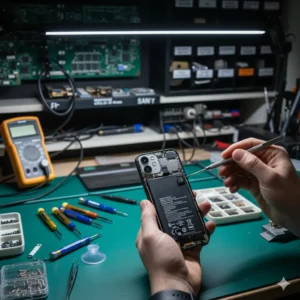
Sometimes fast drain is tied to hardware.
- Charging Port Damage: Dirt, corrosion, or damage reduces charging efficiency.
- Tristar/Hydra Chip Issues: These chips control charging and power distribution. Faults can cause abnormal drain.
- Logic Board Faults: Rare but serious. Requires microsoldering repairs.
If you suspect these, visit Apple or a certified technician.
Pro Tips to Prevent iPhone 12 mini Battery Drain
- Use Airplane Mode in weak signal areas.
- Use Wi-Fi instead of 5G whenever possible.
- Keep your iPhone cool; avoid direct sunlight while charging.
- Restart your phone weekly to clear background processes.
- Replace your battery when capacity drops significantly.
Why You Can Trust This Guide
At STS Calibration, we combine technical expertise with practical testing to deliver guides that actually solve real problems. This article is based on Apple’s official documentation, verified repair insights from iFixit, and field-tested experience with iPhone battery care. Unlike competitors, we avoid generic advice and instead provide detailed, actionable fixes you can apply right now.
Our goal: clear answers, reliable sources, and real-world solutions — so you save time and extend your iPhone’s lifespan.
FAQs:
Q: Why is my iPhone 12 mini dying so fast.?
Because of small battery capacity, background apps, 5G connectivity, and high screen brightness. Checking battery usage helps identify culprits.
Q: How do I fix fast battery drain on iPhone 12 mini.?
Enable Low Power Mode, reduce brightness, disable background app refresh, and update iOS. If the issue persists, check battery health.
Q: Should I leave Low Power Mode on all the time.?
Yes, it’s safe. It simply reduces background activity and visual effects.
Q: Does 5G drain iPhone 12 mini battery.?
Yes, 5G consumes more power, especially in weak coverage. Switch to LTE or Smart Data Mode when possible.
Q: Is it safe to charge iPhone 12 mini overnight.?
Yes, if Optimized Charging is enabled. Without it, prolonged 100% charging can wear the battery.
Q: How to check iPhone 12 mini battery health.?
Go to Settings > Battery > Battery Health & Charging. Look for Maximum Capacity and Service alerts.
Q: How do I know if my iPhone battery needs replacing?
If maximum capacity is below 80% or you see swelling, shutdowns, or rapid drops, replacement is recommended.
Conclusion:
If you’re frustrated and keep asking yourself “why is my iPhone 12 mini battery draining so fast.?”, you now know the answer isn’t just one simple cause, it’s a mix of how you use your phone, the environment around you, and the natural limits of a smaller battery. The iPhone 12 mini was designed for convenience and portability, not marathon battery performance, which means every choice you make, from charging to connectivity, plays a big role in how long it lasts.
The good news is that you don’t need to be a tech expert to get better results. Simple habits like lowering screen brightness, enabling Low Power Mode, or switching to Wi-Fi instead of 5G can add precious hours to your day. Meanwhile, long-term care, such as avoiding extreme heat, charging between 20–80%, and checking battery health regularly, helps slow down natural wear so your iPhone doesn’t feel “old” before its time.
At the same time, it’s important to be realistic: no smartphone battery lasts forever. Apple’s lithium-ion technology is built to degrade gradually, and after a few years, even the healthiest iPhone will need a replacement. That’s not a flaw, it’s how the chemistry works. What matters most is how you extend the time between now and that moment with smart, sustainable habits.
And if you ever face issues beyond your control — like overheating, swollen batteries, or suspected chip-level faults, it’s worth trusting a certified repair center instead of letting the problem drag on. A timely fix can prevent bigger damage and even save you money in the long run.
Most importantly, remember this: managing your iPhone battery isn’t about chasing perfection. It’s about balance. Some days you’ll need performance at full throttle, other days you’ll prioritize saving every bit of charge. By combining the strategies we’ve shared, you’re not just fixing today’s drain, you’re building a healthier routine for your device, making sure it supports your lifestyle without constant frustration.
Your iPhone 12 mini is more than just a phone, it’s your camera, navigator, work tool, and daily companion. Treat its battery like an investment, and it will repay you with reliable performance, day after day, year after year.
You Can So Check:
- How To Maintain iPhone 12 Battery Health
- How to Charge Your iPhone 12 Faster
- How to Calibrate iPhone 12
- Fix iPhone 11 Touch Screen Not Working Fast
- How to Fix iPhone Phantom Touch
- iPhone Compass Calibration Guide
- Apple Watch Calibration Accuracy Fixes
- How To Fix iPhone 12 Overheating Issue
- The Fastest Way to Charge iPhone 12 Pro
- How to Extend iPhone 12 mini Battery Life
- 5 Powerful Ways to Check | How Many Battery Cycles Your iPhone Has Gone Through
- Fixing White Balance Issues on a Top-Tier Android Handset | Step-by-Step Guide 2026