
Mobile Calibration
What is Mobile Calibration?
Mobile calibration is the process of fine-tuning your smartphone or tablet’s sensors, touchscreen, and hardware to restore factory-level accuracy. Over time, factors like software updates, physical wear, or environmental exposure (heat, moisture, etc.) can cause glitches like unresponsive screens, faulty GPS, or skewed battery readings. Calibration resets these components—no tech wizardry required!
Why Calibration Matters for Everyday Users
Ignoring calibration can lead to:
– Annoying Touchscreens: Ghost taps, laggy swipes, or dead zones.
– Sensor Blunders: Maps leading you astray, auto-rotate failures, or erratic motion controls.
– Battery Anxiety: Incorrect charge percentages (e.g., dying at 30%).
– Display Glitches: Overly warm/cool colors or flickering brightness.
Top 4 DIY Calibration Fixes
1. Touchscreen Calibration
Symptoms: Missed taps, phantom touches.
Fix:
– Android: Use Settings > System > Diagnostics > Touchscreen Test.
– iOS: Third-party apps like Touchscreen Repair (jailbroken) or reset settings.
2. Sensor Calibration
– Compass/GPS: Open Google Maps, wave your phone in a figure-8 motion.
– Gyroscope: Use apps like Sensor Box to recalibrate motion tracking.
– Proximity Sensor: Clean your screen’s top edge (dirt blocks the sensor).
3. Battery Calibration
For Android:
1. Drain the battery to 0% until it shuts off.
2. Charge to 100% uninterrupted.
3. Repeat monthly.
iOS: No manual fix—update to the latest iOS version.
4. Display Calibration
– Android: Settings > Display > Advanced > Color Calibration.
– iOS: Use Settings > Accessibility > Display & Text Size > Color Filters.
Free Tools & Apps We Recommend
– Touch Screen Repair (Android): Fixes unresponsive screens.
– GPS Status & Toolbox (Android/iOS): Resets compass/GPS sensors.
– Battery Guru (Android): Monitors and recalibrates battery stats.
– Display Tester (Android): Adjusts color balance and brightness.
When to Skip DIY & Seek Help
– Hardware Damage: Water exposure, cracked screens, or swollen batteries.
– Persistent Failures: Sensors still malfunction after calibration.
– Warranty Concerns: Avoid voiding coverage with risky fixes.
Pro Tips to Avoid Calibration Headaches
– Avoid Extreme Temps: Heat/cold warps sensor accuracy.
– Update Software: Patches often fix calibration bugs.
– Use Quality Chargers: Cheap chargers fry battery circuits.
Join the Conversation!
– Poll: “What’s your biggest calibration gripe? Touchscreen lag,GPS errors 🗺️, or battery lies 🔋?
– Comment: Share your calibration wins/fails below!
-
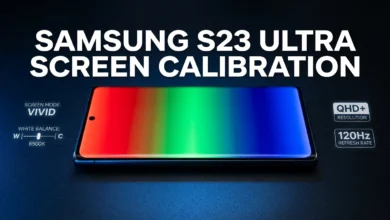
Samsung S23 Ultra Screen Calibration — Proven Guide
There’s a specific kind of frustration that comes with owning one of the best displays ever put in a smartphone…
Read More » -
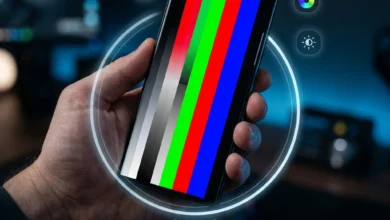
Samsung Galaxy S23 Screen Calibration After Update or Repair Gone Wrong
I’ve lost count of how many times someone has told me their Samsung Galaxy S23 screen “just stopped feeling right”…
Read More » -
Samsung S23 Calibration Guide | Screen, Battery, Sensors & Fingerprint
What Is Samsung S23 Calibration and Why It Matters Samsung S23 calibration is the process of adjusting the device’s sensors,…
Read More » -
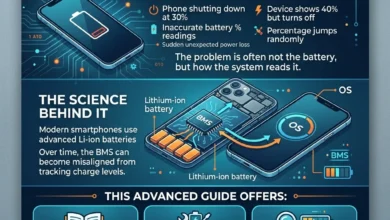
Mobile Battery Calibration & Fixes | 11 Expert Fixes
Mobile Battery Calibration & Fixes is the most effective way to resolve issues like your phone shutting down at 30%,…
Read More » -
How to Calibrate Mobile Sensors – Proven Methods That Work 2026
How to calibrate mobile sensors compass, gyroscope, accelerometer, and more is something most people never think about until something breaks.…
Read More » -
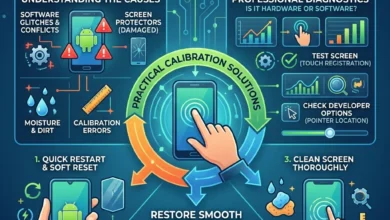
Fixing Touchscreen Issues & Calibration on Android | 11 Proven Fixes
Fixing Touchscreen Issues & Calibration on Android starts with understanding why your phone suddenly stops responding, taps the wrong area,…
Read More » -
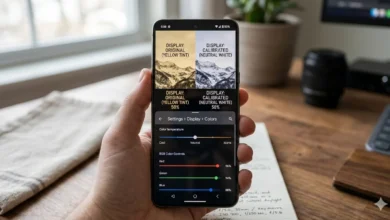
How to Calibrate Screen Color & White Balance on Android Devices | Complete 2026 Accuracy Guide
How to Calibrate Screen Color & White Balance on Android Devices means adjusting your phone’s display settings like screen mode,…
Read More » -
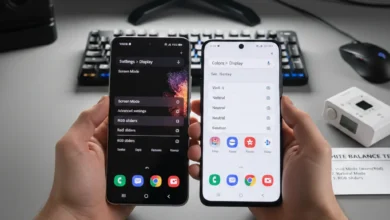
Fixing White Balance Issues on a Top-Tier Android Handset | Step-by-Step Guide 2026
Fixing white balance issues on a top-tier Android handset starts with disabling Blue Light filters, switching to Natural display mode,…
Read More » -
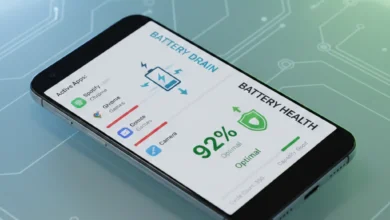
Battery Drain vs Battery Health | 4 Truths Android Users Must Know
Battery drain vs battery health are often mixed up, but they describe two very different problems. Battery drain is about…
Read More » -
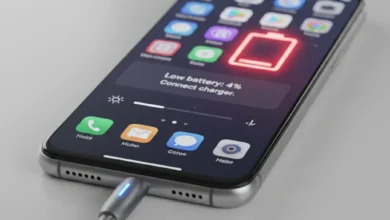
12 Proven Ways | How To Fix Android Battery Problems Fast
How To Fix Android battery problems starts with understanding why your phone is losing power faster than normal and what…
Read More »