How to Calibrate Samsung Galaxy S22 Battery | 12 Proven Fixes Guide
Fix Battery Drain, Stuck Percentage & Shutdowns With Safe Samsung-Approved Calibration Methods

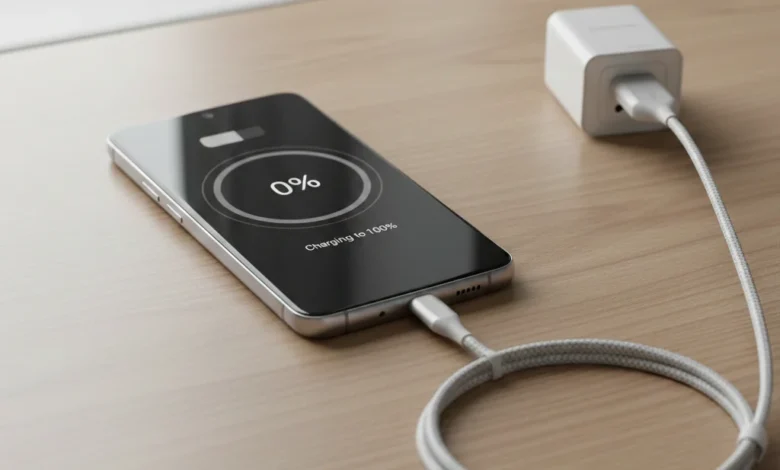
Understanding how to calibrate Samsung Galaxy S22 battery starts with knowing what battery calibration actually is and what it is not. Battery calibration is a software-level process that helps Android’s battery management system correctly read and display the battery’s real charge level. Over time, especially after major updates, heavy usage, overheating, or repeated partial charging, the system can lose accuracy. This is when users experience issues like Samsung S22 battery draining fast, battery percentage stuck, unexpected shutdowns at 10–20%, or slow charging despite a healthy charger.
Drain the battery until the phone shuts down, wait 30 minutes, then charge it uninterrupted to 100% while powered off. Leave it plugged in for another 30 minutes, then use the phone normally. This resets Android’s battery percentage accuracy.
Battery calibration does not repair a damaged battery, increase capacity, or magically improve battery health. Instead, it realigns the system’s battery statistics with the battery’s true voltage range. This distinction is critical because many users confuse calibration with battery replacement. If your Samsung S22 battery health is below 80%, swollen, or not holding charge, calibration will not fix it replacement is the correct solution.
From a technical perspective, calibration resets how Android interprets voltage curves. Lithium-ion batteries do not discharge linearly, so Android relies on learned data. When that data becomes corrupted often after OTA updates or prolonged heat exposure battery readings become unreliable. That’s why Samsung Galaxy S22 battery calibration after update is one of the most common scenarios where users need recalibration.
What Is Battery Calibration and Why It’s Important for Samsung S22
Battery calibration ensures that your Galaxy S22 reports accurate charge levels so power management features work correctly. Without calibration, adaptive battery, power saving modes, and thermal controls behave incorrectly. This leads to overheating, aggressive throttling, or premature shutdowns. Calibration becomes especially important if you notice Samsung S22 battery percentage stuck, sudden drops, or the phone powering off with battery remaining.
Calibration vs Battery Replacement Know the Difference
Calibration corrects software misreporting; replacement fixes physical degradation. If your Samsung S22 battery is swollen, overheating constantly, or not holding charge even after calibration, the battery is chemically worn. In that case, calibration vs replacement is not a debate the battery must be replaced using genuine Samsung parts to maintain safety and performance.
When Calibration Actually Helps
Calibration is most effective when problems appear after system updates, long-term partial charging habits, or heavy heat exposure. It is also useful when Samsung S22 battery calibration not working initially due to corrupted battery stats. In these cases, recalibration restores accuracy and stabilizes performance without opening the device.
Signs You Need to Calibrate Samsung Galaxy S22 Battery (Before It Gets Worse)
If you’re asking how to calibrate Samsung Galaxy S22 battery, the real question usually starts earlier: how do you know calibration is actually needed? Battery calibration is not a routine task it’s a corrective action when your phone’s battery readings no longer match reality. Understanding the warning signs helps you avoid unnecessary calibration cycles and prevents long-term battery wear.
Signs:
-
Battery percentage drops suddenly
-
Phone shuts down at 10–20%
-
Battery percentage stuck while charging
-
Battery draining fast after update
-
Inaccurate battery readings
Battery calibration is the process of synchronizing your Samsung Galaxy S22’s software with the battery’s actual voltage levels. Over time, updates and charging habits cause inaccurate readings. Calibration fixes percentage errors, unexpected shutdowns, and charging inconsistencies but it does not increase battery capacity.
Common Symptoms of Samsung Galaxy S22 Battery Calibration Issues
The most obvious sign is Samsung S22 battery draining fast, even when your usage hasn’t changed. You might notice the battery dropping from 40% to 15% within minutes, or losing 10–15% while the phone is idle. This usually indicates the battery management system has lost track of the true charge level.
Another frequent issue is Samsung S22 battery percentage stuck. The phone may remain at 100% for a long time and then suddenly fall to 80%, or freeze at 15–20% for an hour before shutting down. This happens when the software’s battery curve is misaligned with the battery’s actual voltage behavior.
Unexpected shutdowns are a critical sign. If your Galaxy S22 powers off at 10–20% battery, the cell still has charge, but the system incorrectly believes it’s empty. This is one of the strongest indicators that Samsung Galaxy S22 battery calibration is required especially after a major One UI or Android update.
Performance & Thermal Red Flags You Shouldn’t Ignore
Battery calibration problems often appear alongside Samsung S22 battery overheating. When calibration data is inaccurate, the phone may overdraw power or mismanage charging cycles, generating excess heat during light use or charging. Overheating doesn’t always mean the battery is damaged—but it does mean the software is no longer regulating power efficiently.
You may also experience Samsung S22 slow charging, where the device takes significantly longer to charge despite using the original Samsung charger and cable. Incorrect battery stats can cause the phone to throttle charging unnecessarily as a protective response.
Another subtle but important sign is inconsistent charging behavior after updates. Many users report Samsung S22 battery calibration after update issues, where battery performance worsens immediately after installing new firmware. Updates can reset or corrupt battery statistics, making recalibration necessary.
Calibration vs. Battery Replacement: Know the Difference
Not every battery issue can be fixed by calibration. If your Samsung S22 battery health is below 80%, calibration will not restore lost capacity it will only improve accuracy. Similarly, if the battery is swollen, not holding charge at all, or showing physical deformation, calibration is unsafe and ineffective. These are replacement scenarios, not software fixes.
Calibration is most effective when the battery is physically healthy but behaving unpredictably. If the phone still charges, powers on normally, and doesn’t show swelling or leakage, calibration is the correct first step before considering professional repair or battery replacement.
When You Should Act Immediately
You should proceed with calibration if you experience:
- Rapid battery drain without heavy usage
- Battery percentage jumping or freezing
- Sudden shutdowns above 10%
- Inaccurate readings after a system update
- Slow or inconsistent charging with original accessories
If these symptoms persist despite calibration, the issue likely extends beyond software and may require diagnostics, charging port inspection, or battery replacement.
What to Do Before You Calibrate Samsung Galaxy S22 Battery (Critical Prep Most Guides Skip)
Before jumping into how to calibrate Samsung Galaxy S22 battery, you must prepare the device correctly. Skipping these steps is the #1 reason calibration fails or appears to “do nothing.” Battery calibration is a software reset process, but it depends heavily on hardware conditions, temperature stability, and accurate power input. If these factors aren’t controlled, the battery stats you reset will be wrong from the start.
Let the Samsung Galaxy S22 Warm Up (Yes, This Matters)
Your Galaxy S22 battery must be thermally stable before calibration. Lithium-ion cells report voltage differently when cold or hot. Power on your phone and let it sit idle for at least 30 minutes at room temperature (20–25°C). Do not start calibration immediately after gaming, fast charging, or coming in from a hot environment.
Failing to warm up the phone properly can cause:
- Incorrect voltage mapping
- Persistent Samsung S22 battery percentage stuck issues
- Calibration that “resets” but doesn’t fix drain or shutdowns
This step alone eliminates many Samsung S22 battery calibration not working complaints.
Use Only Original Samsung Charging Equipment
Battery calibration relies on clean, predictable power delivery. Always use:
- Original Samsung charger (25W recommended)
- Original or certified Samsung USB-C cable
Third-party chargers even “fast chargers” often deliver unstable current. This can cause Samsung S22 slow charging, overheating, or inaccurate charge curves during calibration. If you’re calibrating to fix battery drain, introducing unstable power defeats the purpose.
Back Up Data & Check for Physical Battery Damage
Calibration is safe, but if the battery is physically compromised, it’s dangerous. Before starting:
- Back up your data (Samsung Cloud or Google backup)
- Inspect the phone for signs of Samsung S22 battery swollen
- Back panel lifting
- Phone rocking on a flat surface
- Screen separation or pressure marks
If swelling is present, do not calibrate. Power off immediately and proceed to professional battery replacement. Calibration cannot fix a damaged battery and may increase risk.
Update Software and Eliminate Known Calibration Conflicts
Outdated firmware can corrupt battery stats repeatedly. Before calibration:
- Install the latest One UI / Android update
- Restart the device after updating
- Disable Power Saving temporarily
- Ensure no system update is pending
This is especially important for users dealing with Samsung S22 battery calibration after update issues. Calibrating on outdated firmware often leads to incorrect battery readings returning within days.
Check Charging Port, Heat, and App Behavior
Lint or debris in the USB-C port can cause unstable charging, which ruins calibration accuracy. Inspect and clean gently if needed. Also check:
- Phone does not overheat during light use
- No rogue apps draining battery in the background
- Screen brightness and refresh rate aren’t maxed unnecessarily
If your device already shows Samsung S22 battery overheating during idle use, calibration should be postponed until the root cause is addressed.
Why This Preparation Stage Is Non-Negotiable
Calibration works by rebuilding the battery’s charge-to-voltage reference table. If power input, temperature, or battery condition is unstable, the new data becomes flawed leading to:
- Calibration that appears successful but fails within days
- Continued unexpected shutdowns
- False belief that battery replacement is required
Proper preparation dramatically improves calibration success and ensures the next steps actually solve the problem.
How to Calibrate Samsung Galaxy S22 Battery Manually (No App, No Root)
If you want the safest and most reliable method for how to calibrate Samsung Galaxy S22 battery, the manual full-cycle method remains the gold standard. This process resets how Android estimates remaining charge by forcing the system to relearn real voltage boundaries.
Step-by-Step Manual Calibration (0% to 100%)
- Use your phone normally until it shuts down completely.
- Power it back on and let it shut down again (this ensures true 0%).
- Leave the phone powered off for 30 minutes.
- Charge the device to 100% uninterrupted while powered off.
- Keep charging for 30 minutes after it reaches 100%.
- Unplug, power on, and use normally until it drains again.
This method directly addresses:
- Samsung S22 battery percentage stuck
- Samsung S22 unexpected shutdowns
- Samsung S22 battery draining fast
How do I manually calibrate my Samsung S22 battery
Manual Samsung S22 battery calibration steps:
- Use the phone until it powers off
- Leave it off for 30 minutes
- Charge to 100% while powered off
- Keep charging 30 minutes after 100%
- Use normally until next discharge
Why This Works
Android’s battery management system builds charge estimates based on historical voltage curves. When those curves become inaccurate often after updates manual calibration realigns software with physical battery behavior.
This method does not improve battery health, but it fixes inaccurate reporting, which is the core purpose of calibration.
Samsung Battery Calibration Code (#0228#) – When and How to Use It
Samsung devices include diagnostic codes meant for technicians. The most relevant for battery calibration is #0228#, also known as Quick Reset.
The Samsung Galaxy S22 battery calibration code is *#0228#. It opens the Quick Reset menu, which refreshes battery voltage readings. Use it when battery level is low, then fully charge the phone without interruption for best results.
How to Use *#0228# Safely
- Dial
*#0228# - Ensure battery level is between 5–10%
- Tap Quick Reset
- Do not reboot immediately
- Charge the phone to 100% uninterrupted
What This Code Actually Does
- Resets voltage reference points
- Forces battery stats refresh
- Does not erase data or firmware
This is useful when:
- Calibration after update fails
- Battery percentage drops suddenly
- Software readings feel “off”
Do not use repeatedly. Once every few months is sufficient.
Reset Battery Stats Using *#9900# (Advanced Users Only)
The #9900# code allows deeper system diagnostics, including clearing batterystats.bin.
Correct Use for Samsung S22 Battery Reset Without Root
- Dial
*#9900# - Scroll to Delete batterystats.bin
- Confirm and reboot
- Perform a full 0% → 100% charge cycle
This method helps when:
- Samsung S22 battery calibration not working
- Stats re-corrupt after reboot
- Calibration fails repeatedly
Avoid this if the battery is physically degraded.
Using Self Repair Assistant (Galaxy Cal App)
Samsung’s Self Repair Assistant (Galaxy Cal app) is designed primarily for battery cycle reset after replacement, but it can also help recalibrate existing batteries.
When the App Makes Sense
- After battery replacement
- Persistent misreporting after updates
- Official Samsung-supported approach preferred
Common App Issues & Fixes
- App won’t start → Update firmware
- Calibration fails → Set system date back temporarily
- Version mismatch → Reinstall app
The app performs controlled charge-discharge cycles and logs accurate battery data.
When Calibration Will NOT Work (Replacement Required)
Calibration cannot fix physical degradation. Replace the battery if you notice:
- Samsung S22 battery health below 80%
- Battery swelling or leaks
- Phone overheating during idle
- Battery not holding charge beyond 2–3 hours
Samsung S22 Battery Replacement Sydney
Typical cost:
- $120–$160 AUD
- OEM battery recommended
- Data-safe replacement when done professionally
Never attempt calibration on a swollen battery.
Battery Calibration vs Replacement (Know the Difference)
Battery calibration fixes incorrect battery percentage readings caused by software errors. Battery replacement is required when the battery is physically degraded, swollen, or below 80% health. Calibration improves accuracy, while replacement restores actual battery capacity.
| Calibration | Replacement |
|---|---|
| Fixes software misreading | Fixes physical degradation |
| No cost | Paid service |
| No capacity gain | Restores capacity |
| Temporary | Long-term solution |
If calibration fixes percentage accuracy but drain remains, replacement is the correct next step.
How Often Should You Calibrate Samsung Galaxy S22 Battery?
Calibration is not maintenance.
Recommended frequency:
- Heavy users: Every 3–6 months (only if symptoms appear)
- Normal users: Rarely
- After updates: Only if issues arise
Frequent deep discharges reduce battery lifespan.
Power Saving Tips After Calibration (Prevent Recurrence)
To maintain accuracy and longevity:
- Keep charge between 20–80%
- Reduce refresh rate to 60Hz
- Disable Always-On Display when unused
- Avoid overnight charging
- Turn off 5G/GPS when unnecessary
Heat is the #1 battery killer.
Data Safety & Long-Term Battery Health
Calibration does not erase data. Replacement should also preserve data when done correctly. Always:
- Use genuine Samsung parts
- Avoid cheap third-party batteries
- Monitor battery temperature
- Update firmware regularly
Battery health is a combination of software accuracy + physical chemistry.
FAQs:
Q: Does battery calibration improve battery life.?
No. Battery calibration does not improve battery life or capacity. It only corrects how your Samsung Galaxy S22 reports the battery percentage. To improve battery lifespan, reduce heat exposure, avoid full discharges, and keep charge levels between 20% and 80%.
Q: What is battery calibration and why does my Samsung S22 need it.?
Battery calibration resets how Android reads battery charge. Over time, software estimates drift, causing incorrect percentages, shutdowns, or drain.
Q: What are the signs my Samsung S22 battery needs calibration.?
Rapid drain, stuck percentage, shutdown at 10–20%, overheating after updates, or inaccurate charging display.
Q: How do I calibrate Samsung Galaxy S22 battery without apps.?
Use the full discharge (0%) to uninterrupted 100% charging method while powered off.
Q: Are Samsung battery calibration codes safe.?
Yes, when used correctly. *#0228# resets voltage stats; *#9900# clears battery logs.
Q: Does calibration improve battery health.?
No. It improves accuracy, not capacity.
Q: Why is my Samsung S22 battery still draining after calibration.?
Likely physical wear, rogue apps, heat damage, or battery health below 80%.
Q: How often should I calibrate.?
Only when issues appear. Over-calibration harms lithium batteries.
Q: Can overheating affect calibration.?
Yes. Heat distorts voltage readings and accelerates degradation.
Q: Should I calibrate or replace if health is under 80%.?
Replace. Calibration cannot restore lost capacity.
Q: Is calibration safe after software updates.?
Yes, but only if symptoms appear. Never calibrate unnecessarily.
Conclusion:
Knowing how to calibrate Samsung Galaxy S22 battery correctly saves time, prevents unnecessary replacements, and restores accurate battery behavior but only when used for the right reasons. Calibration is a software alignment process, not a miracle fix. If your S22 shows inaccurate percentages, sudden shutdowns, or post-update drain, calibration can realign the system and restore trust in your battery readings.
However, once physical degradation begins signaled by swelling, overheating, or health below 80% replacement is the only safe and effective solution. Use calibration sparingly, charge intelligently, control heat, and your Samsung Galaxy S22 battery will deliver consistent, reliable performance for the long run.
Also Read:
- How to Calibrate Samsung S22 | 30 Easy Ways
- How to Calibrate Samsung S22 Screen | 12 Proven Fixes Guide
- Why Is My Samsung S22 Touch Not Working Properly | 6 Shocking Fixes Guide
- How to Calibrate iPhone 12 | Complete Step-by-Step Guide to Fix Issues & Boost Performance
- 20 ways | How To Fix Android Phone Touch Screen Problem |
- 6 Powerful Ways | How to Calibrate Compass on Samsung S22
- 12 Powerful Steps | How to Reset Samsung S22 for Calibration
-
Fixing White Balance Issues on a Top-Tier Android Handset | Step-by-Step Guide 2026