6 Powerful Ways | How to Calibrate Compass on Samsung S22
What Compass Calibration Means on Samsung S22 (And Why It Matters)

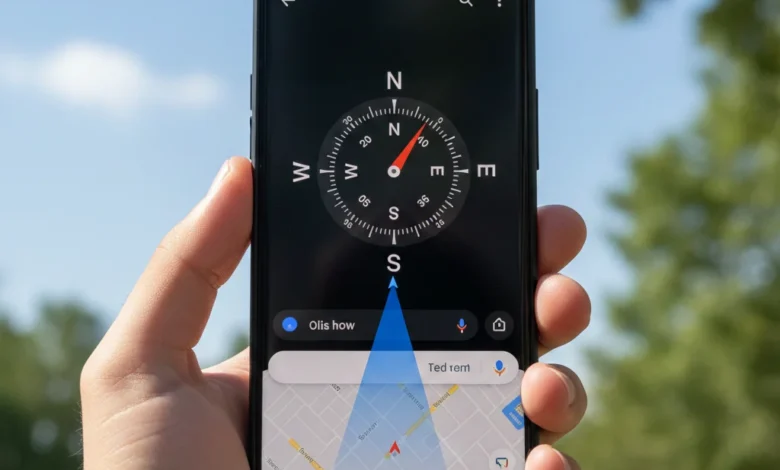
How to Calibrate Compass on Samsung S22.?
Modern navigation relies heavily on sensor accuracy. When directions feel wrong or Google Maps shows a wide blue cone, the problem is rarely GPS it’s almost always the magnetometer. This guide explains how to calibrate compass on Samsung S22 correctly, using Samsung’s built-in tools, Google Maps methods, and advanced diagnostics step by step.
How do I calibrate the compass on Samsung S22?
To calibrate the compass on Samsung S22, open Google Maps or the Samsung Compass Edge Tool, tap Calibrate, and move the phone in a figure-8 motion until accuracy improves. Remove magnetic cases, keep the phone away from metal objects, and ensure Location Accuracy is set to High Accuracy for best results.
Compass calibration on the Samsung Galaxy S22 is the process of aligning the phone’s magnetometer sensor with Earth’s magnetic field so it can correctly determine direction. Unlike GPS, which determines location using satellites, the compass determines orientation north, south, east, and west. When calibration is off, navigation apps may point in the wrong direction even when your location is accurate.
Why does Samsung S22 compass need calibration.?
Compass accuracy drops due to magnetic interference, software updates, or sensor drift, which calibration realigns.
Why Compass Accuracy Affects Navigation Apps
Apps like Google Maps, Samsung Maps, fitness trackers, and AR tools rely on compass data to orient maps and overlays. If your Samsung S22 compass calibration is inaccurate, you may notice:
- Maps rotating unexpectedly
- Navigation arrows pointing sideways
- “Low location accuracy” warnings
- A wide blue cone instead of a narrow direction beam
Compass Calibration vs GPS Calibration
Compass calibration improves direction accuracy, while GPS calibration improves location precision. Many users confuse the two. You can have perfect GPS accuracy but a broken compass experience. That’s why calibrating the compass on Samsung Galaxy S22 is essential for reliable navigation.
Signs Your Samsung S22 Compass Needs Calibration
If you’re wondering whether calibration is necessary, the symptoms are usually obvious. Voice search queries like “Why is my Samsung S22 compass not working?” or “Why does Google Maps show wrong direction?” almost always trace back to calibration issues.
Common Symptoms of Compass Misalignment
You likely need Samsung S22 compass calibration if:
- Google Maps shows a wide or spinning blue beam
- Directions change when you stand still
- The compass points the wrong way indoors
- Navigation accuracy improves temporarily after restart
- Location accuracy drops after software updates
Accuracy Warnings and Sensor Errors
Samsung may display warnings like “Low compass accuracy” or prompt calibration inside apps. These are software-level indicators that your magnetometer data is unreliable and needs recalibration.
Pre-Calibration Checklist (Do This First)
Before you calibrate the compass on Samsung S22, preparation matters. Skipping these steps is the most common reason calibration fails.
Remove Interference and Update Software
- Restart your phone to reset sensor processes
- Update One UI and Google Maps to the latest version
- Remove magnetic phone cases, wallets, rings, or mounts
- Disable battery saving mode temporarily
Indoor vs Outdoor Calibration
Indoor environments often contain metal structures, speakers, and electronics that cause magnetic interference. For best results, calibrate outdoors, away from cars, elevators, and power sources.
Built-In Samsung Compass Calibration Methods
Samsung provides native tools that many users overlook. These methods are the most reliable because they interact directly with the sensor firmware.
Using the Compass Edge Tool
- Enable Edge Panels → Quick Tools
- Open Compass
- Tap Calibrate
- Follow the on-screen figure-8 or rotation pattern
This is the official Samsung S22 compass calibration method and should always be your first choice.
Sensor Diagnostics via #0#
Dial *#0*# → Sensors → Magnetic Sensor to test real-time X, Y, Z values. Stable readings confirm a healthy magnetometer.
Google Maps Compass Calibration (Lens & Manual)
Google Maps has its own calibration system layered on top of Android’s sensor framework.
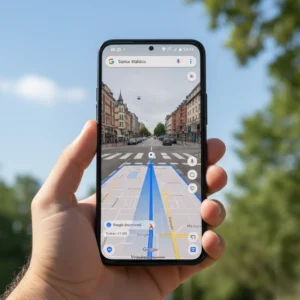
Calibrate with Google Maps Lens
- Open Google Maps
- Tap the blue location dot
- Select Calibrate
- Use the camera-based Lens method
This visual calibration improves Samsung S22 compass accuracy dramatically, especially indoors.
Manual Figure-8 Calibration
If Lens isn’t available:
- Hold the phone
- Move it in a figure-8 motion 5–10 times
- Rotate along all three axes
Advanced Troubleshooting & When Calibration Fails
If calibration keeps failing, the issue may be deeper than software.
Clear Cache, Reset Location & Safe Mode
- Clear Google Maps cache
- Reset location services
- Boot into Safe Mode to rule out app conflicts
- Disable power-saving features
Hardware Failure & Professional Repair
Repeated failure after calibration attempts may indicate a magnetometer sensor fault. In such cases, Samsung S22 compass calibration cannot fix hardware damage. A Samsung Service Center can confirm this under warranty.
FAQs:
Q: How often should I calibrate the compass on Samsung S22.?
Only when accuracy drops. Frequent calibration is unnecessary.
Q: Does restarting fix compass issues.?
Temporarily, but proper calibration is required.
Q: Can a phone case affect compass accuracy.?
Yes, especially magnetic or metal cases.
Q: Is Google Maps calibration enough.?
It helps, but Samsung’s built-in tools are more reliable.
Q: Does battery saver affect compass accuracy.?
Yes, it may restrict sensor updates.
Q: Can calibration fix GPS problems.?
No, it only fixes direction accuracy.
Q: Why does compass fail after updates.?
Sensor recalibration is often required after firmware changes.
Q: Should I calibrate indoors or outdoors.?
Outdoors is always better.
Q: Can third-party apps damage sensors.?
Poorly coded apps can interfere with sensor access.
Q: When should I seek professional repair.?
If sensor diagnostics fail repeatedly.
Conclusion:
Knowing how to calibrate compass on Samsung S22 is essential for accurate navigation, fitness tracking, and location-based apps. Most compass issues are caused by magnetic interference, software updates, or skipped calibration not hardware failure. By using Samsung’s built-in compass tools, Google Maps calibration, and proper environmental practices, you can restore full directional accuracy in minutes. If calibration fails consistently, professional diagnostics are the only safe next step.
Also Read:
- How to Calibrate Samsung S22 | 30 Easy Ways
- How to Calibrate Samsung Galaxy S22 Battery | 12 Proven Fixes Guide
- How to Calibrate Samsung S22 Screen | 12 Proven Fixes Guide
- Why Is My Samsung S22 Touch Not Working Properly | 6 Shocking Fixes Guide
- How to Calibrate iPhone 12 | Complete Step-by-Step Guide to Fix Issues & Boost Performance
- 20 ways | How To Fix Android Phone Touch Screen Problem |
- 12 Powerful Steps | How to Reset Samsung S22 for Calibration
- Fixing White Balance Issues on a Top-Tier Android Handset | Step-by-Step Guide 2026