
Mobile Calibration
What is Mobile Calibration?
Mobile calibration is the process of fine-tuning your smartphone or tablet’s sensors, touchscreen, and hardware to restore factory-level accuracy. Over time, factors like software updates, physical wear, or environmental exposure (heat, moisture, etc.) can cause glitches like unresponsive screens, faulty GPS, or skewed battery readings. Calibration resets these components—no tech wizardry required!
Why Calibration Matters for Everyday Users
Ignoring calibration can lead to:
– Annoying Touchscreens: Ghost taps, laggy swipes, or dead zones.
– Sensor Blunders: Maps leading you astray, auto-rotate failures, or erratic motion controls.
– Battery Anxiety: Incorrect charge percentages (e.g., dying at 30%).
– Display Glitches: Overly warm/cool colors or flickering brightness.
Top 4 DIY Calibration Fixes
1. Touchscreen Calibration
Symptoms: Missed taps, phantom touches.
Fix:
– Android: Use Settings > System > Diagnostics > Touchscreen Test.
– iOS: Third-party apps like Touchscreen Repair (jailbroken) or reset settings.
2. Sensor Calibration
– Compass/GPS: Open Google Maps, wave your phone in a figure-8 motion.
– Gyroscope: Use apps like Sensor Box to recalibrate motion tracking.
– Proximity Sensor: Clean your screen’s top edge (dirt blocks the sensor).
3. Battery Calibration
For Android:
1. Drain the battery to 0% until it shuts off.
2. Charge to 100% uninterrupted.
3. Repeat monthly.
iOS: No manual fix—update to the latest iOS version.
4. Display Calibration
– Android: Settings > Display > Advanced > Color Calibration.
– iOS: Use Settings > Accessibility > Display & Text Size > Color Filters.
Free Tools & Apps We Recommend
– Touch Screen Repair (Android): Fixes unresponsive screens.
– GPS Status & Toolbox (Android/iOS): Resets compass/GPS sensors.
– Battery Guru (Android): Monitors and recalibrates battery stats.
– Display Tester (Android): Adjusts color balance and brightness.
When to Skip DIY & Seek Help
– Hardware Damage: Water exposure, cracked screens, or swollen batteries.
– Persistent Failures: Sensors still malfunction after calibration.
– Warranty Concerns: Avoid voiding coverage with risky fixes.
Pro Tips to Avoid Calibration Headaches
– Avoid Extreme Temps: Heat/cold warps sensor accuracy.
– Update Software: Patches often fix calibration bugs.
– Use Quality Chargers: Cheap chargers fry battery circuits.
Join the Conversation!
– Poll: “What’s your biggest calibration gripe? Touchscreen lag,GPS errors 🗺️, or battery lies 🔋?
– Comment: Share your calibration wins/fails below!
-
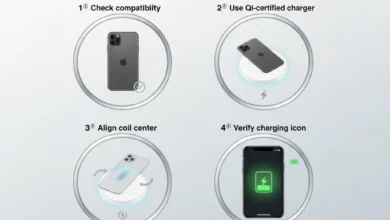
How Do I Enable Wireless Charging on My iPhone 11 Pro Max | Easy Fix
How Do I Enable Wireless Charging on My iPhone 11 Pro Max? Wireless charging is one of the best features…
Read More » -
Does My iPhone 11 Pro Max Have Qi Charging? | Amazing Guide
Does My iPhone 11 Pro Max Have Qi Charging? The short answer is yes, your iPhone 11 Pro Max supports…
Read More » -
Does iPhone 11 Pro Max Have Wireless Charging | Amazing Guide
Does iPhone 11 Pro Max Have Wireless Charging? Yes, the iPhone 11 Pro Max does have wireless charging, thanks to…
Read More » -
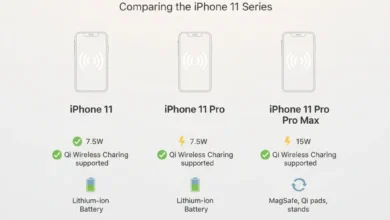
Does iPhone 11 Have Wireless Charging.? | Great News!
Does iPhone 11 Have Wireless Charging? Yes, the iPhone 11 has wireless charging capability. All models in the iPhone 11…
Read More » -
5 Powerful Ways to Check | How Many Battery Cycles Your iPhone Has Gone Through
Knowing how many battery cycles your iPhone has gone through without even using an app helps you track your device’s…
Read More » -
Why iphone 12 Mini Battery Drains Fast | Proven Causes, Fixes, and Pro Tips for Longer Battery Life
If you’ve been wondering “why is my iPhone 12 mini battery draining so fast.?”, you’re not alone. Many iPhone 12…
Read More » -
How to Extend iPhone 12 mini Battery Life | Direct Expert Answer
How to Extend iPhone 12 mini Battery Life starts with three essentials: enable Low Power Mode, manage screen brightness, and…
Read More » -
The Fastest Way to Charge iPhone 12 Pro | Ultimate Guide
Charging speed is one of the most important concerns for iPhone 12 Pro users, especially with busy schedules and constant…
Read More » -
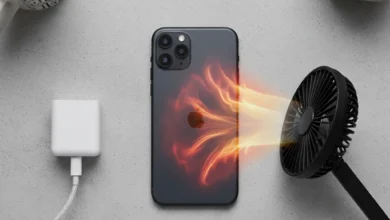
How To Fix iPhone 12 Overheating Issue
When your iPhone 12 overheating issue occurs, it’s not always due to one single reason. It could be a combination…
Read More » -
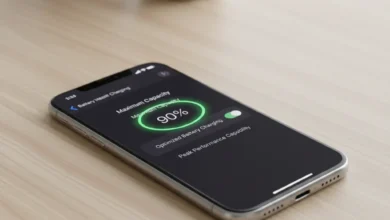
How To Maintain iPhone 12 Battery Health | Proven Guide
Battery health on the iPhone 12 refers to the maximum capacity your lithium-ion battery can hold compared to when it…
Read More »