Battery Drain vs Battery Health | 4 Truths Android Users Must Know
Battery Drain vs Battery Health: What’s Really Killing Your Android Battery.?

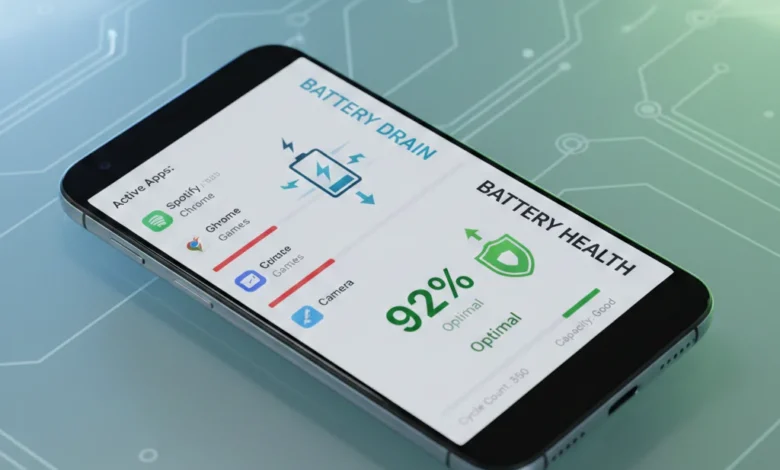
Battery drain vs battery health are often mixed up, but they describe two very different problems. Battery drain is about how fast power is consumed right now, while battery health (SOH – State of Health) measures how much power the battery can store compared to when it was new. You can have severe battery drain with excellent battery health, and you can also have poor battery health even if drain seems normal on the surface. This distinction matters because the fix depends entirely on which issue you’re facing.
Battery drain refers to how quickly your Android phone loses power during use, while battery health (State of Health or SOH) shows how much capacity the battery retains compared to when it was new. Fast battery drain is usually caused by apps, screen brightness, network features, or software activity, whereas poor battery health results from aging, heat, charging cycles, and internal resistance. Understanding the difference helps users decide whether optimization, calibration, or battery replacement is the correct solution for long-term performance and reliability.
Battery drain is usually caused by background app usage, screen brightness, GPS and location services drain, 5G vs 4G battery impact, system processes, Google services, and connectivity features like Wi-Fi, Bluetooth, hotspot, or mobile data. These are behavioral and software-driven. Battery health, on the other hand, degrades over time due to lithium-ion battery degradation, charging cycles, internal resistance growth, heat exposure, and aging chemistry.
Why Battery Drain Feels Worse Than Battery Health Loss
Drain feels dramatic because it’s immediate your phone drops from 80% to 40% in an hour. Battery health loss is slower and sneaky. As maximum capacity declines, the same usage consumes a larger percentage. This leads to unexpected shutdowns, battery percentage jumping, slow charging, overheating, and poor device performance, even when apps are under control.
Battery Drain Is a Symptom, Battery Health Is the Root
If you keep fixing drain without checking health, you’re treating symptoms. Battery health is a predictor of device lifespan, and ignoring it leads to wasted troubleshooting and delayed replacement decisions.
Battery Health (SOH) Explained Capacity, Cycles, Internal Resistance & Real Indicators
Battery Health (State of Health) represents how close your battery is to its original design capacity. A new phone starts at 100% SOH. Over time, charge cycle count, battery degradation, and internal resistance reduce usable energy. When SOH drops below ~80%, performance and reliability decline sharply.
Modern Android devices use a Battery Management System (BMS) to estimate health. It tracks charging cycles, voltage curves, temperature behavior, and current flow. Increased internal resistance means more heat, slower charging, and faster voltage drops under load this is why old batteries die at 20% or shut down suddenly.
How to Check Battery Health on Android (Beyond Fake Apps)
True battery health indicators include:
- Estimated capacity %
- Charge cycle count
- Internal resistance trends
- Thermal behavior under load
Many apps guess. Reliable insights come from system diagnostics, manufacturer tools, or long-term usage data. In fleets, MDM (Mobile Device Management) systems track battery health across hundreds of devices for data-driven decisions.
Battery Health vs Performance Throttling
As health declines, Android may limit CPU/GPU power to prevent crashes. This creates the illusion of “lag” when the real issue is battery degradation limiting device performance.
What Actually Causes Fast Battery Drain (Software, Usage & Environment)
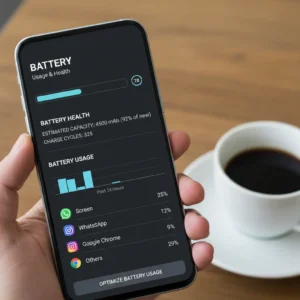
Fast battery drain is rarely random. It’s caused by energy demand exceeding what the battery can efficiently deliver. The biggest contributors include background app usage, screen brightness, dark mode efficiency misconfiguration, GPS and location services drain, 5G radios, sync loops, and overheating.
Temperature plays a massive role. Heat accelerates battery degradation and increases drain, while cold temporarily reduces capacity. Charging habits matter too overnight charging, constant 100%, and ignoring the 20–80% rule all speed up long-term damage.
Drain After Updates vs Real Battery Damage
Many users notice drain after updates. Often this is re-indexing, cache rebuilding, or adaptive learning, not permanent damage. But repeated overheating during these phases can push degradation faster.
When Drain Becomes a Health Problem
If drain persists even in standby, after resets, and with minimal apps, it’s often internal resistance and reduced capacity, not software.
Battery Lifespan, Replacement & Sustainability When Fixing Stops Working
Every lithium-ion battery has a finite lifespan. Once degradation crosses a threshold, no setting, calibration, or optimization can restore lost chemistry. Signs you’ve reached this stage include battery swelling, extreme overheating, very slow charging, sudden shutdowns, and rapid percentage drops.
When to Replace vs When to Optimize
Replace the battery if:
- SOH is near or below 80%
- Phone shuts down under light load
- Heat appears during basic tasks
Optimize instead if:
- Health is reasonable but drain is usage-driven
- Background apps or connectivity are the cause
Environmental Impact & Recycling Based on Health
Replacing batteries responsibly matters. Battery recycling based on health reduces environmental damage and supports sustainability in device lifecycle management. In EVs and HEVs, similar SOH estimation methods, adaptive filtering (Kalman, RLS), and machine learning models are already standard phones are slowly catching up.
FAQs:
Q: What is the difference between battery drain and battery health.?
Battery drain is how fast power is used: battery health shows how much power the battery can still store compared to new.
Q: Why is my battery draining fast even with low usage.?
High internal resistance, background system processes, or degraded battery health can cause fast drain even in standby.
Q: How do I check battery health on Android.?
Use system diagnostics, manufacturer tools, or long-term usage data not just generic apps.
Q: Does battery drain mean my battery is damaged.?
Not always. Drain is often software-related, while damage shows up as reduced capacity and shutdowns.
Q: How does heat affect battery health.?
Heat accelerates lithium-ion degradation, increases internal resistance, and shortens battery lifespan.
Q: How many charging cycles before battery health drops.?
Most phone batteries show noticeable degradation after 300–500 full cycles.
Q: Can battery calibration fix health issues.?
Calibration fixes percentage errors, not actual capacity loss.
Q: When should I replace my phone battery.?
When SOH drops near 80% or you experience shutdowns, swelling, or severe overheating.
Q: Does 5G drain battery more than 4G.?
Yes, especially in weak signal areas where radios work harder.
Q: Is battery health linked to device performance.?
Absolutely. Poor health leads to throttling, lag, and instability.
Conclusion
Battery drain and battery health are not enemies they’re signals. Drain tells you what’s happening now. Health tells you what’s left long term. Fixing Android battery problems starts with understanding this difference, not guessing, not blindly installing apps, and not chasing myths. When you know whether you’re dealing with drain, degradation, or both, every decision optimization, calibration, or replacement becomes clear, logical, and cost-effective. That’s how you stop wasting time and start extending real battery life.
Also Read:
- 20 ways | How To Fix Android Phone Touch Screen Problem
- 12 Proven Ways | How To Fix Android Battery Problems Fast
- How to Calibrate iPhone 12 | Complete Step-by-Step Guide to Fix Issues & Boost Performance
- Fixing White Balance Issues on a Top-Tier Android Handset | Step-by-Step Guide 2026
- How to Calibrate Mobile Sensors
- Dell Battery Calibration Tool | 2026 Guide Fix Sudden Drops & Shutdowns Fast